Is AI recommending your business in London?
Before ChatGPT, Claude or Perplexity answer a buyer, they search the web and pick a few sites to trust. We work to get yours on that shortlist and higher in Google — so new customers find you without ads. Measured every week, never promised.
Free check: about a minute, no card.- Answer page: emergency dentist in Mayfair
- Fees page: Invisalign costs, with sources
- Google Business Profile completed
- Pages submitted to Google and Bing
Run it on your business.
We ask the three assistants what a buyer in your city would ask, live, and show you every search they ran and every site they cited. Type your trade and city — the example above becomes yours.
Check. See the gap. Claim your seat.
- 01Check
We ask the assistants what a buyer in your city would ask, with web search on — the way they really answer.
- 02See the gap
The exact searches they ran, the sites they cited, and whether you were one of them.
- 03Claim your seat
We work your gaps with verified content and measure the movement every week, for a limited number of businesses per city.
Cited by AI. Up in Google. Leads without ads.
That is what the work is for — and every week you see whether it is happening.
Leads you don't pay for
A buyer who gets your name from an AI answer or a top Google result comes to you directly. No ad spend per click, no lead fee.
Higher in Google, too
The verified pages assistants cite are the same pages Google ranks. We track your Search Console positions next to the AI citations.
You see it move
Every week: cited or not, by question and by assistant, plus your Google positions. When something moves, you know what moved it.
Only 3 seats per business type, per city. That's the point.
We don't sell the same spot to all your competitors. Once 3 plumbers in Burnaby (or 3 lawyers in Vancouver) are in, that seat is closed.
- #1Competitor A
- #2Competitor B
- #3Competitor C
- #4Competitor D
- #5Competitor E
- #6Competitor F
- #7Your businessBelow the map
Founding rate
Trades & Home Services
- Plumbers, electricians, HVAC
- Cleaners, movers, landscapers
- Roofers, painters, handymen, pest control
- Not listed? Choose “Other” and type your business.
$249Regular price $349regular
per month
1 city · your full AI crew · exclusive seat (1 of 3)
Add a city +$99/mo
Reserve a trades seatFounding rate
Professional Services
- Lawyers, accountants, mortgage brokers
- Realtors, financial advisors, insurance
- Dentists, clinics, physio, med spas, architects
- Not listed? Choose “Other” and type your business.
$499Regular price $799regular
per month
1 city · your full AI crew · exclusive seat (1 of 3)
Add a city +$199/mo
Reserve a professional seat3-month Proof Window, then month-to-month. If we don't deliver your monthly work plan, that month is refunded.
50 of 50 founding seats left
Build your territory
Pick your business type and we set the package automatically.
City seat · Trades & Home Services
1 of 3 seats for your business type in your main city — plus your exclusive home neighbourhood (1 of 1) included. Your full crew of AI agents works to get your business named across ChatGPT, Claude, Perplexity and Google.
$349$249/mo
Add a city +$99/mo each
Add a nearby city or suburb you also serve (1 of 3 seats in that city). Your crew expands into each added city.
Your plan · founding rate
$249/moRegular price $349
- Cities
- 1
- Exclusive home neighbourhood
- 1
- Coverage footprint
- 2 areas
- Results tracked
- Every week
3-month Proof Window, because results take weeks to show; then month-to-month. Seat booking opens soon. Start with the free check.
Why we're not $99
- $99 tools hand you a dashboard. You still do the work — and so do your 40 competitors using the same tool.
- We do the work, and only for 3 businesses like yours in your city. We never compete against our own clients.
- One new customer pays for the month.
Real growth, no tricks, no extra work for you
- No shortcuts that get you penalized: no fake reviews, no bought links, no spam pages.
- Every claim we publish about you is verified — your licence, services and real results, confirmed once when you join.
- We handle the work and the quality checks: every page is reviewed by our system and our team before it goes live.
- You stay in control without lifting a finger: one short weekly report shows what we did and what moved. Reply to pause or change anything, anytime.
Behind the scenes, working every day
We combine the best SEO and GEO tools with our own new methods — and give your business its own crew of AI agents:
- Findthe questions your customers ask Google and ChatGPT where you're missing.
- Answerpages and proof that earn you the recommendation.
- Predictwhat people in your city will search next, before competitors notice.
- Proveverified experience and tools that show you know your work.
- Testwhat actually moves you up, measured against areas we don't touch.
- Reportwhat changed, every week, in plain words.
Built on official data: Google Search Console, Google Maps rankings, and the real answers from ChatGPT, Claude, Perplexity and Google's AI.
Honest timing
Most clients start appearing in AI answers within 4–8 weeks. Google ranking movement typically takes 3–6 months. We measure it, we don't promise it — and you see every number.
Measured, not promised.
You get
- How often each assistant cites or names you, every week
- Your Google positions, tracked beside the AI results
- The searches you are winning and losing
- Enquiries from people who found you, not an ad
We never
- Guarantee a rank, a placement or a date
- Use spam pages, link schemes or fake reviews
- Message your customers without consent
Questions
AI visibility, plainly.
What does the free check actually do?
It asks ChatGPT, Claude and Perplexity a few questions a buyer in your city would ask, with web search turned on, and records which sites each one cites and whether it names your business. Nothing is guessed: every number you see comes from those live answers.
Why web search and not just asking the AI?
Assistants answer local questions by searching the web first. A small local business is rarely in a model's memory, so a check without search would almost always say you are invisible. We measure the searches the assistants really run.
Can you guarantee I will be recommended?
No. Nobody controls what an assistant or Google shows. We work the searches you are losing with verified content and show the measured movement every week. First AI citations typically appear 4–8 weeks after we act; Google movement takes 3–6 months.
What is a territory seat, and what does it cost?
At most three businesses per business type in any city work with us, so we never compete against our own clients. Each seat includes your exclusive home neighbourhood. The package is set automatically from your business type. Trades & Home Services (plumbers, cleaners, movers, landscapers, electricians, roofers and similar) is $349/month; Professional Services (lawyers, realtors, dentists, mortgage brokers, accountants, clinics and similar) is $799/month. Each includes one city; adding a city is +$99/month or +$199/month. The first 50 founding seats are $249/month and $499/month, locked for life on that subscription; after that, new seats are at the regular price. There is a 3-month Proof Window, then month-to-month, and if we don't deliver your monthly work plan, that month is refunded.
Why not cheaper?
A $99 tool hands you a dashboard and you still do the work, alongside every competitor using the same tool. We do the work for you, and only for three businesses like yours in your city, so we never compete against our own clients. One new customer pays for the month. We never guarantee a result: you see the measured numbers every week.
Do I need to approve everything?
No. You confirm your facts once when you join: your licence, services and real results. After that we do the work, and every page is reviewed by our system and our team before it goes live. You get one short weekly report showing what we did and what moved. Reply to pause or change anything, anytime.
Why are Gemini and Google AI Overviews not in the check?
Google's Gemini API terms do not allow analysing or monitoring its search-grounded answers, so we leave it out rather than break them. We report your Google Search Console positions alongside the AI results instead.
Do you store what I enter?
The check result is shown to you and not stored. We keep a one-way fingerprint of the business and city only to limit checks to one per business per week.
Staging · Brochures · Email
Stage a listing in 0 seconds. Brochure in 0 minutes.
Stage an empty listing. Or redesign a dated one — old furniture out, new floors, new finishes, same bones.
No account needed to browse
Five products
Real results, by room
See it room by room.
Living Room
West Coast Modern Luxury

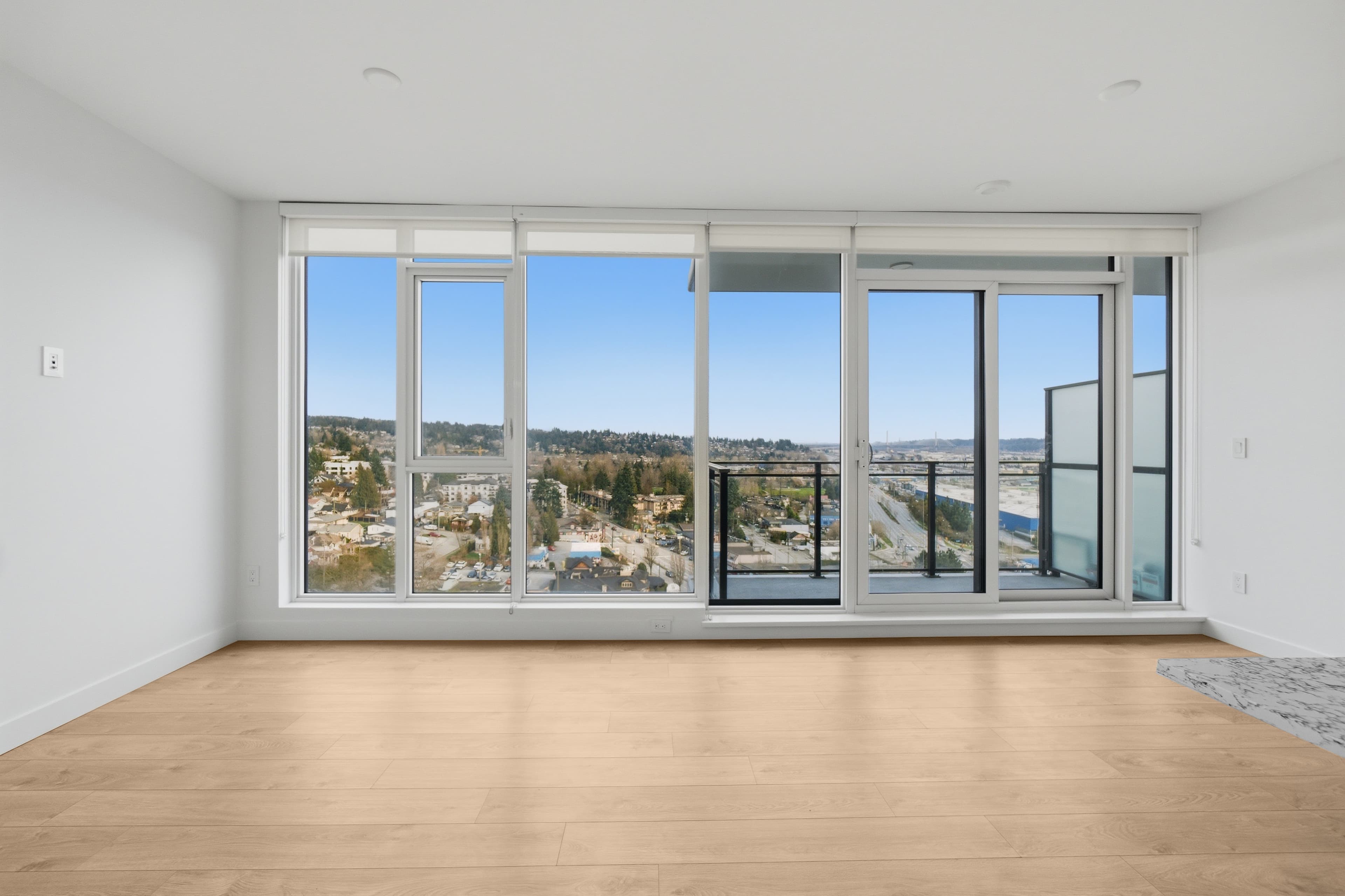 BeforeAfter
Kitchen
Scandinavian Warm

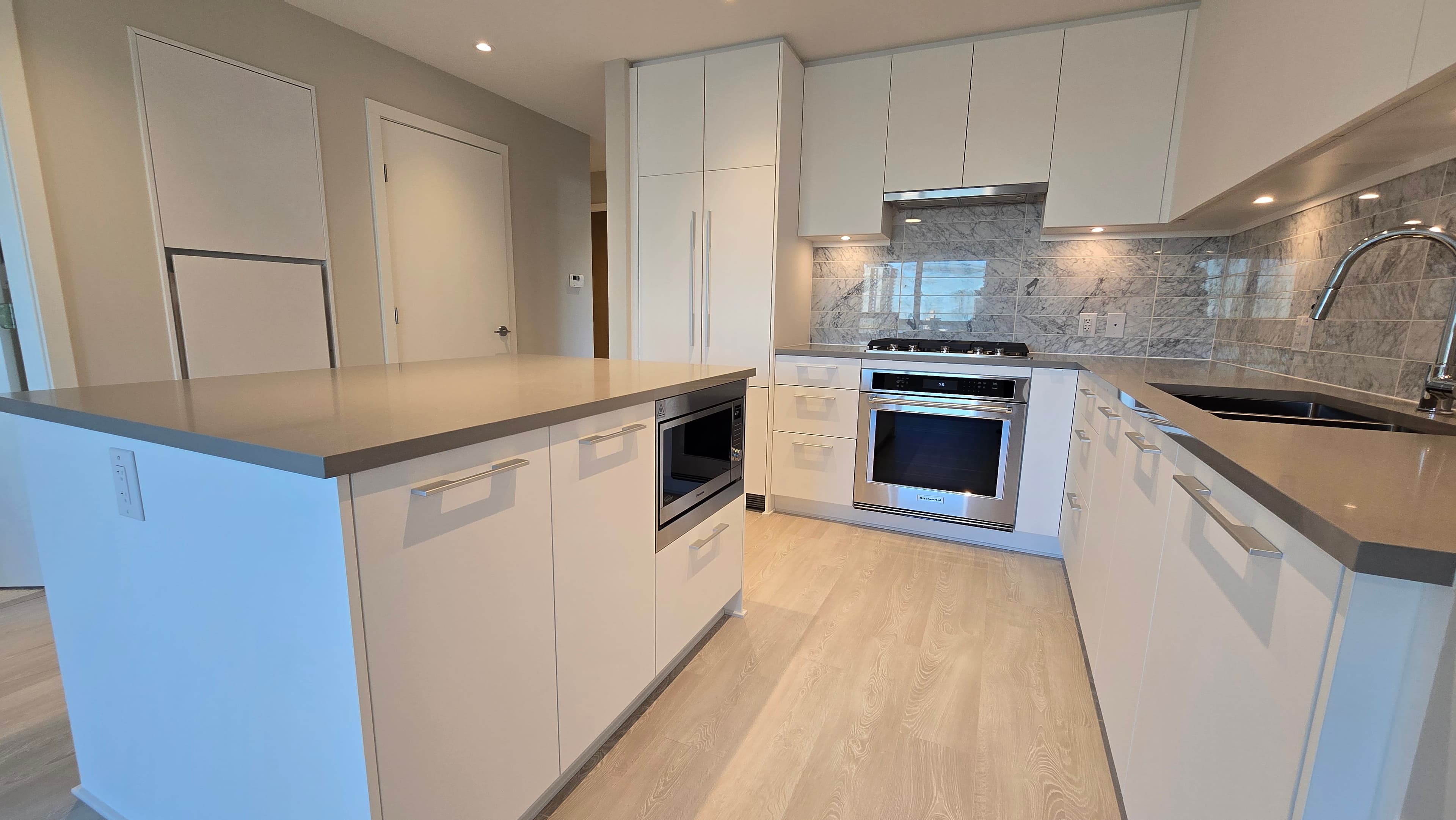 BeforeAfter
Bedroom
Japandi Calm
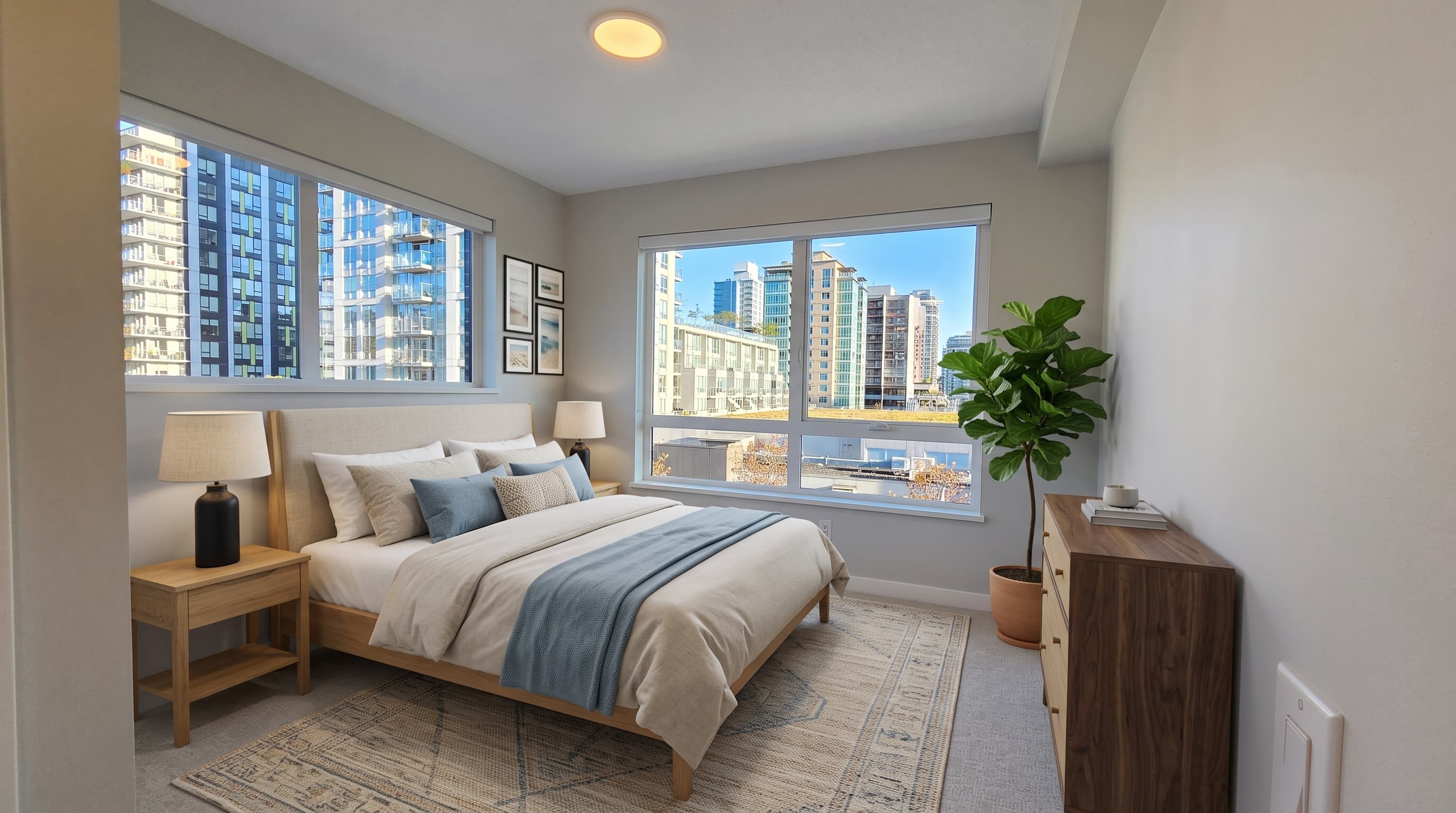
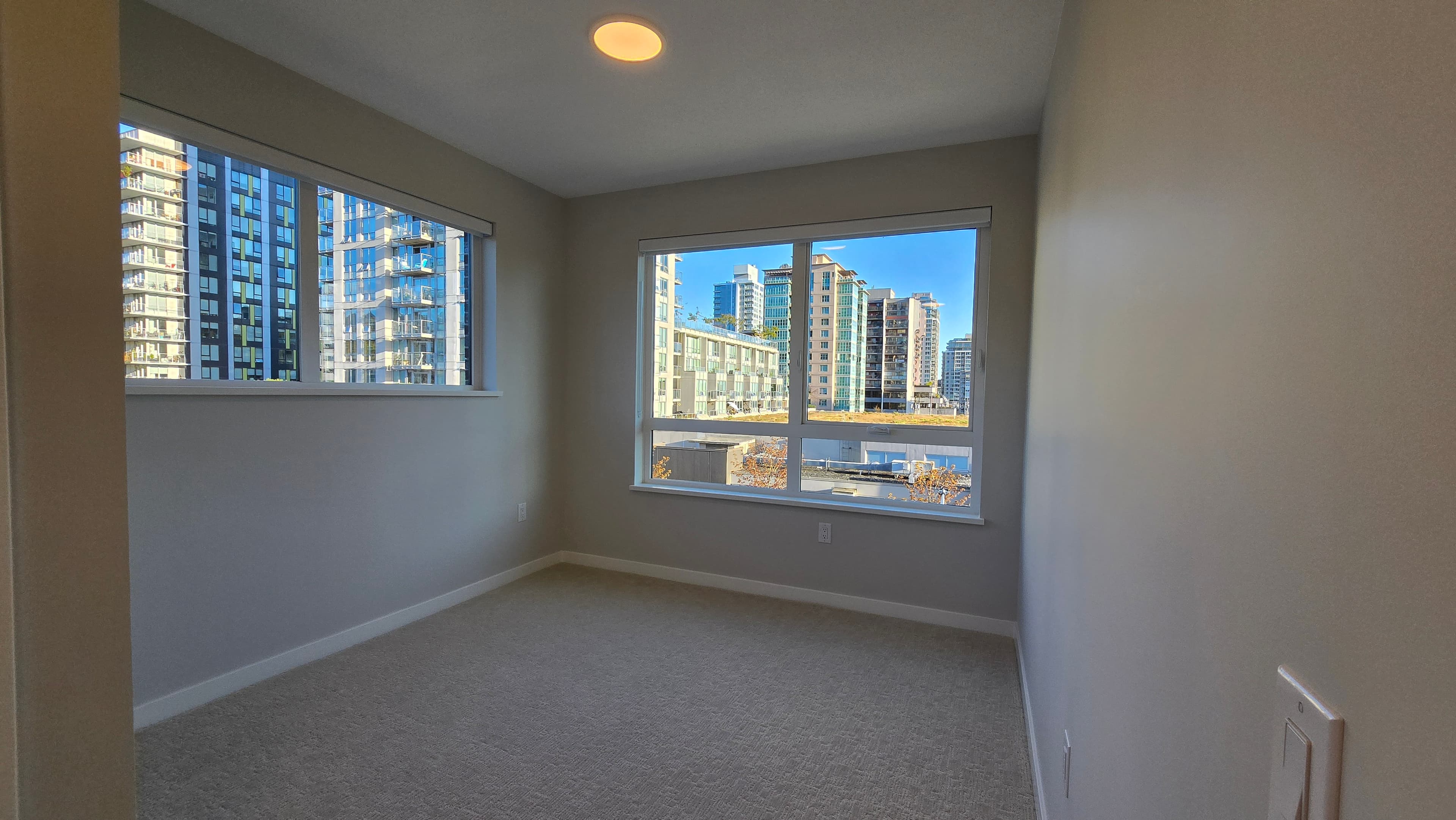 BeforeAfter
See the real thing
Flip through a full brochure.
This is a real, rendered four-page sample brochure in the Grid System style — actual listing photos, not a mock-up. Page through all four pages to see exactly what you get.

Page 1 of 4
Design it your way. Save it. Post like a pro.
Turn any listing photo into a designed Instagram and Facebook post in minutes: pick a look, make it yours, and save it as your signature style.
From $3.99 per post — all sizes included


How it works
Three steps. Every time.
Upload
Drop in your listing photos — empty rooms or furnished, either works.
Choose a style
Pick an interior style or a brochure template that fits the property.
Download
Get your staged photos or press-ready PDF back, on your own timeline.
Pricing
Four products. No subscription.
Virtual Staging
Stage an empty listing. Or redesign a dated one — old furniture out, new floors, new finishes, same bones.
- First photo free, no card required
- Furniture, styling & surface finishes
- Re-stage credits included
Listing Kit
Most pickedA press-ready 4-page brochure in one of 15 designer templates.
- 15 designer templates
- Built + previewed in ~5 minutes
- Print-ready PDF
Custom Brochure
Bespoke, human-designed brochure beyond the standard templates.
- Human-designed layout
- Up to 4 pages, print-ready
- Delivered next business day
Email Blast
Your listing in up to 5,000 inboxes for $29.
- Up to 5,000 recipients, your own list
- CASL-compliant sender ID + unsubscribe
- Open + click reporting
Staging credits work on both empty-room staging and furnished-room redesign.
+tax where applicable
Questions
Things realtors ask before their first order.
Do I need to disclose virtually staged photos?
Yes. Virtual staging can change furniture, styling, and surface finishes (flooring, wall paint or covering, ceiling texture, cabinet fronts) — finishes may be altered, and that must be disclosed. Most MLS boards require you (the listing agent) to tick the virtually-staged flag when you upload the photos to your board. Disclosure rules vary by board, so confirm your local board's requirements.
What can't be changed about the room?
Structure, windows, walls, and layout stay exactly as they are in your original photo — those never change. Furniture, styling, and surface finishes (like flooring or wall paint) can change; nothing architectural is ever resized, removed, or relocated.
How long does each product take?
Virtual Staging: minutes per photo. Listing Kit: about 5 minutes to build and preview your brochure, emailed the moment you pay. Custom Brochure: next business day, since it's built by hand.
Is the Listing Kit brochure actually print-ready?
Yes — it's exported as a high-resolution, print-ready PDF built for your listing's own photos, not a template preview. Take it straight to a print shop or share it digitally.
What does "first photo free" actually include?
A free first photo is a preview at reduced quality, so you can see the style on your own room before you pay. Paid packs render at full quality and add re-stage credits if you want to try a different look.
Can I use staging credits on a photo that already has furniture in it?
Staging credits work on both empty-room staging and furnished-room redesign — the same credit balance covers either job type.
Built for real estate agents — staged, drafted, and sent on live listings across Canada and the US.